Scripting a photo yearbook using ChatGPT
I generated a couple of scripts using ChatGPT to set up a pipeline for creating a photo yearbook. Without any real experience with Bash, Python or LaTeX, I’m amazed by the ease and joy of automating a solution like this. Let me tell you a bit about it.
The files can be found on Github.
The problem
I had around 600 images in a shared folder in iCloud and didn’t want to spend too much time manually creating a photo book. My initial thought was to use one of the known photo services websites and their ‘AI auto-generate’ options. I tried several of them, but none produced exactly what I was looking for.
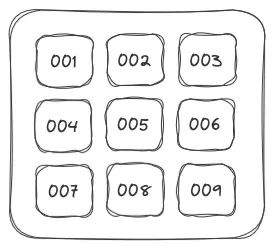
Most services ended up placing three to six photos per page in various layouts, resulting in a high page count. All I really wanted was a consistent 3x3 grid on every single page.
Sorting on creation date
When downloading images from iCloud using the browser, they seem to lack metadata when inspected in Finder. This means you can’t sort the images other than on name, which is fine in many cases, but not if your collection also includes images you received from other people, for example via Whatsapp. In that case, filenames differ, making it impossible to sort chronologically based on name alone.
I found that for most of the images the creation date can luckily be found using exiftool. I then asked ChatGPT to write a Bash script that sorts files based on their metadata and renames each file so I end up with a clean sequence like 001.jpg, 002.jpg, and so on. Images without any metadata are appended at the end.

LaTeX for print
The next step was to use pdflatex to generate a PDF with all the images laid out in 3x3 grids. Now that the images were named sequentially, it was easy to iterate over them and build a template. With a bit of back-and-forth, ChatGPT produced a working LaTeX file in no time. That’s when I realized that forcing both landscape and portrait images into square frames wasn’t the best idea.
Squares
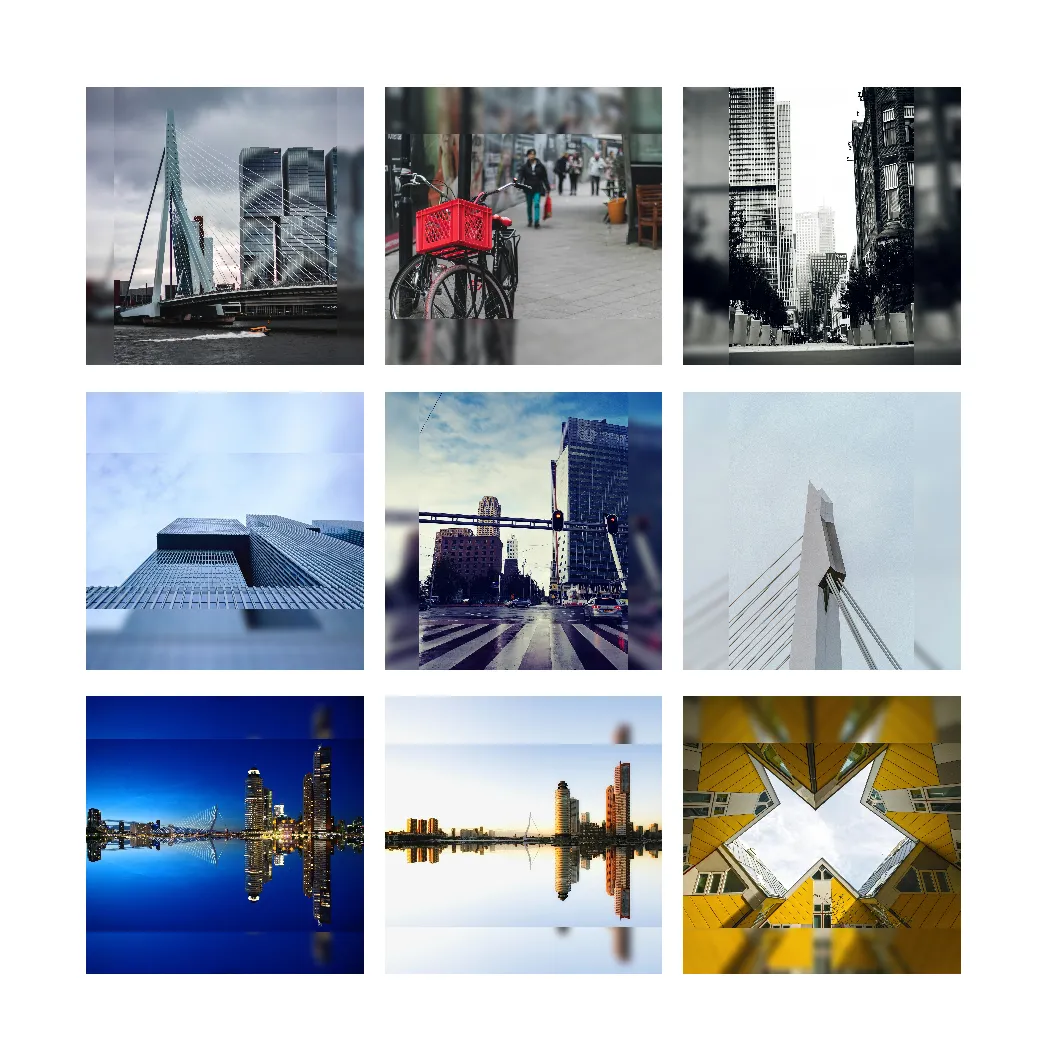
ChatGPT suggested creating a Python script to square all the images. I asked it to use face detection to ensure the most important parts of each photo would remain visible. This actually worked pretty well, and I was amazed by the ease of this process and the results. However, it wasn’t able to transform all 600 images correctly. Since I didn’t want any manual intervention I decided to abandon this approach. With just a few keystrokes the script was transformed into a blur-based implementation, where the edges of the images are blurred nicely. A simplified approach that I actually like more, because it doesn’t cut any information from my original images. I also like the look of it in the 3x3 grid.
Reflection
I spend like 4 times an hour or so on all of this. I didn’t even bother using VS Code, which I normally use for work-related tasks. I simply used the ChatGPT website, copied its output, and used Vim as my editor, often times replacing the entire file.
I really enjoyed the workflow. It felt like laidback programming: letting my co-partner do all the hard work while I was thinking about what to ask next. Seeing that the specifications you’ve just written down lead to the expected results is actually real fun!
There was one moment where I had to start a new conversation because ChatGPT seemed stuck on a LaTeX issue (the first page of the PDF rendered blank). With a fresh context window, it solved the problem immediately.
I would probably not have started this automation project without an LLM, knowing how time-consuming it is too get something like this good enough. The fact that I could turn a small frustration, not being able to quickly create a photo yearbook to my liking, into a working solution in a few spare hours still blows my mind.